Add Font To Indesign Mac
Jika anda tidak melihat panel tersebut, tekan tombol ⌘ cmd + t (mac) atau ctrl + t (pc) untuk membukanya. You'll need windows versions of the fonts if you need to edit the file if you don't need to edit it, you could have the sender.

Quick Tip Troubleshooting Font Problems In Adobe Indesign
After your mac validates the font and opens the font book app, the font is installed and available for use.

Add font to indesign mac. Klik find more pada panel “character”. Free graphic resources free macbook free mockup photohsop vectors free fonts stock photos psd icons all that you need for your creative projects project proshow producer project after. Click on the font file and a preview will open up in font book for you.
And depending on what program you're on, i'm on a mac and i can just click and install fonts. To verify that everything has been installed properly, start inkscape or any similar program that allows you to create texts. Click on a font to select it click open.
The font is added to the font column. Your mac should automatically create a folder with the contents inside. If you're on a pc, it's a very.
You may see files that are not font files, such as a. How do you load fonts on a mac? It’s all in the details:
This will take you to your fonts within font book, where you can preview your newly installed font. When creating text, the font you installed should appear in the font selection box. First, open your current indesign document.
You could also use the character panel if you choose. This will open the export eps dialog box. Find the font you wish to install and then click on install.
These fonts have a uniquely mac feature—namely a data fork which can be viewed on a pc, and a resource fork which cannot. Open the “character” palette ( window > type & tables > character ). Download 65000 free fonts for windows and mac.
In the font book app, click the add button in the font book toolbar, locate and select a font, then click open. Open font book from the applications folder. Choose add font from the file menu;
The easy way, using typekit. Adobe incopy and indesign each have a folder called fonts where you can place your font (.otf) files so that they can be used in your documents. Fonts are organized by categories such as calligraphy, handwriting, script, san serif and more.
Indesign versi 2019 memungkinkan anda untuk mengaktifkan ribuan fon gratis pralisensi secara langsung dari aplikasi. Save the font file or files to your computer and then go to control panel > appearance and personalization > fonts and then click on file > install new font to open the add fonts window. Indesign will show you the following warning when it opens:
Drag the font file to the font book app icon in the dock. On your mac, do any of the following: Open indesign, but do not create or open a document.
Find out the most efficient way to install fonts on a mac so they're available to all users. Under the “save as type” drop menu, select “eps” and hit “save”. There are 2 ways to x this.
Designate where your file will be exported. Make sure you first extract these files if you have received them in a.zip file. To install a font on a mac, double click the font name to open it in a viewer, then click install.
To test this, create a new document in indesign. To create a set for os 10.3 and above applications How to embed fonts in indesign (eps) 1.
[your user name] / library / application support / adobe/fonts likes Select a new font family, font style, size, leading, and kerning. Then, click install font to install your font.
Scroll to the herff jones > yearbook > fonts folder; To set the default font: Occasionally you may open an indesign document that uses a font you don’t have on your laptop.
How To Add A New Font In Indesign - Quora

3 Cara Untuk Menambahkan Fon Baru Ke Indesign - Wikihow
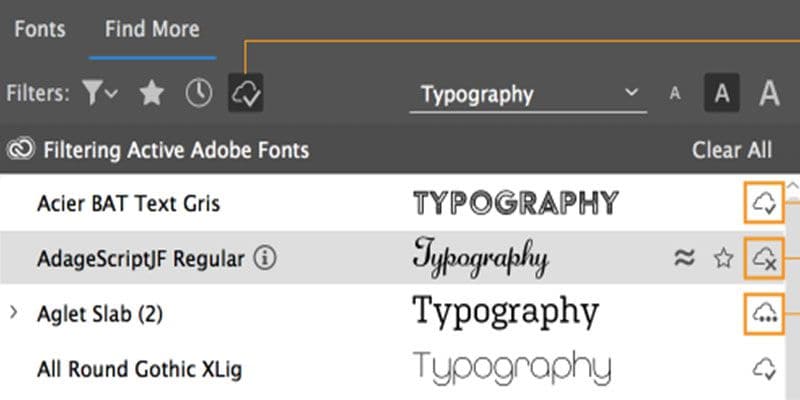
Add Font To Indesign - 2021

3 Ways To Add A New Font To Indesign - Wikihow
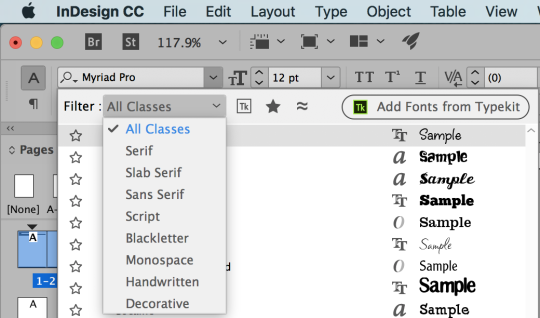
Font Filtering In Indesign Graphic Design Adobe Certified Trainer Laurie Ruhlin
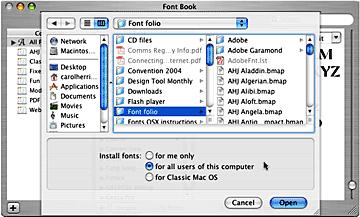
How To Install Fonts On A Mac Running Indesign - Yearbook Discoveries

How To Add Fonts To Illustrator Makiplace

3 Ways To Add A New Font To Indesign - Wikihow

Solved Installing Fonts Windows Ctrlprint Support

Indesign Tutorial Working With And Formatting Text In Indesign
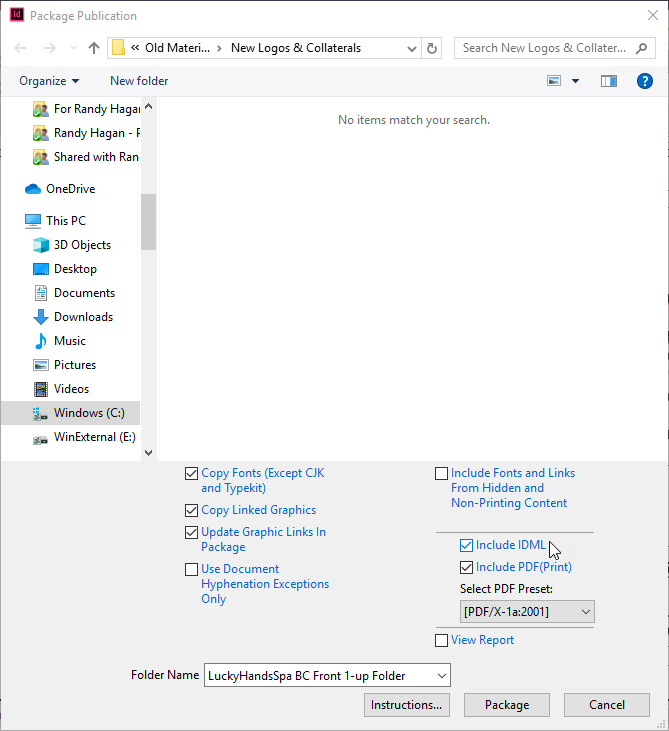
Solved Package With Fonts In Indesign Cc - Adobe Support Community - 10554607
How To Add A New Font In Indesign - Quora

3 Ways To Add A New Font To Indesign - Wikihow
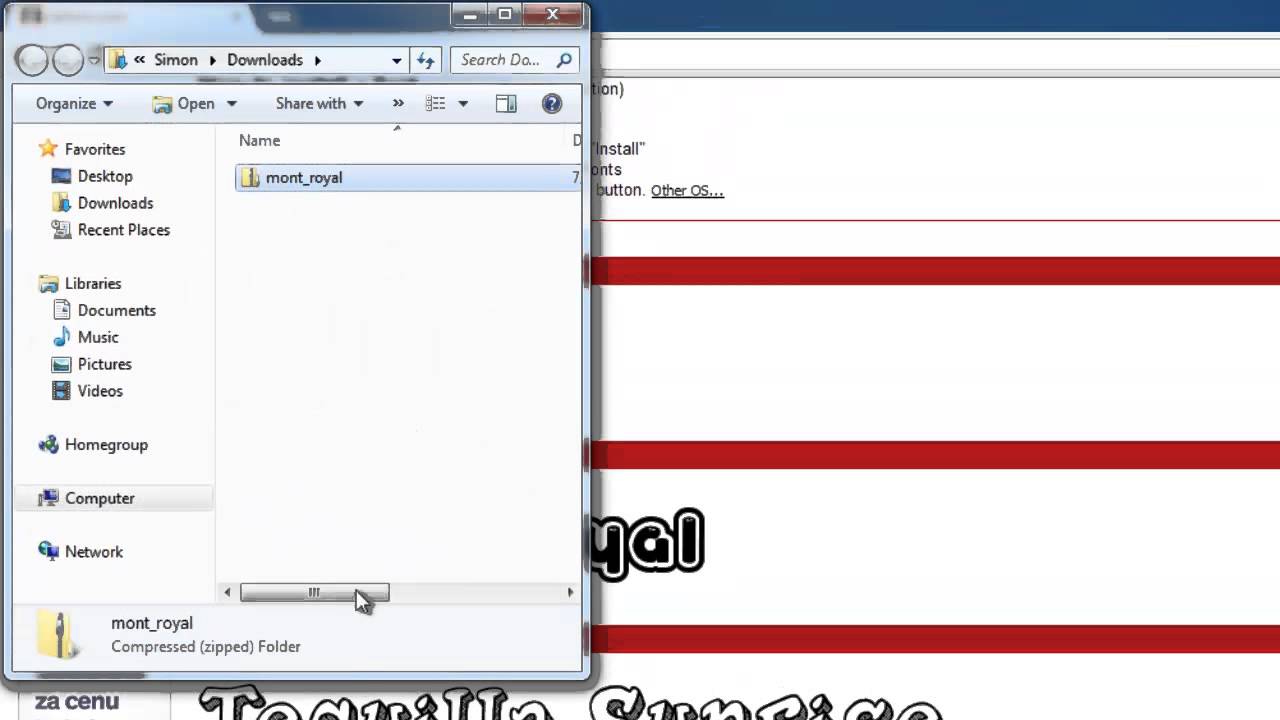
How To Add Fonts To Indesign - Youtube

How To Add Fonts To Illustrator Makiplace

3 Ways To Add A New Font To Indesign - Wikihow

3 Ways To Add A New Font To Indesign - Wikihow
Indesign Doesnt Recognize Installed Fonts All The - Adobe Support Community - 9758485
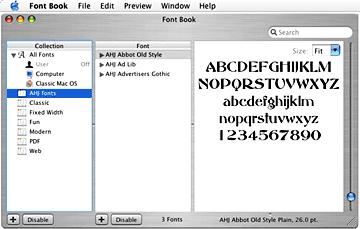
How To Install Fonts On A Mac Running Indesign - Yearbook Discoveries


Komentar
Posting Komentar