Where Are Adobe Fonts Stored On Mac
The best way to see installed fonts on a mac is to use the font book app: Hi there, the get started board, where you have initially asked this question, is the right community, experts there will be able to help you better.
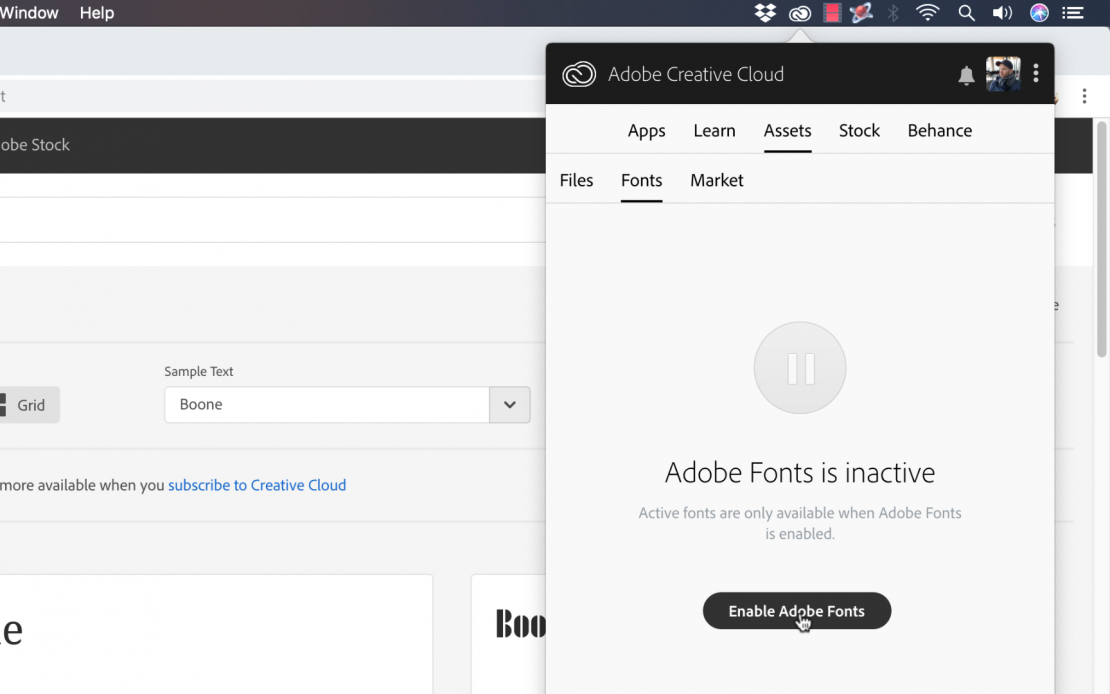
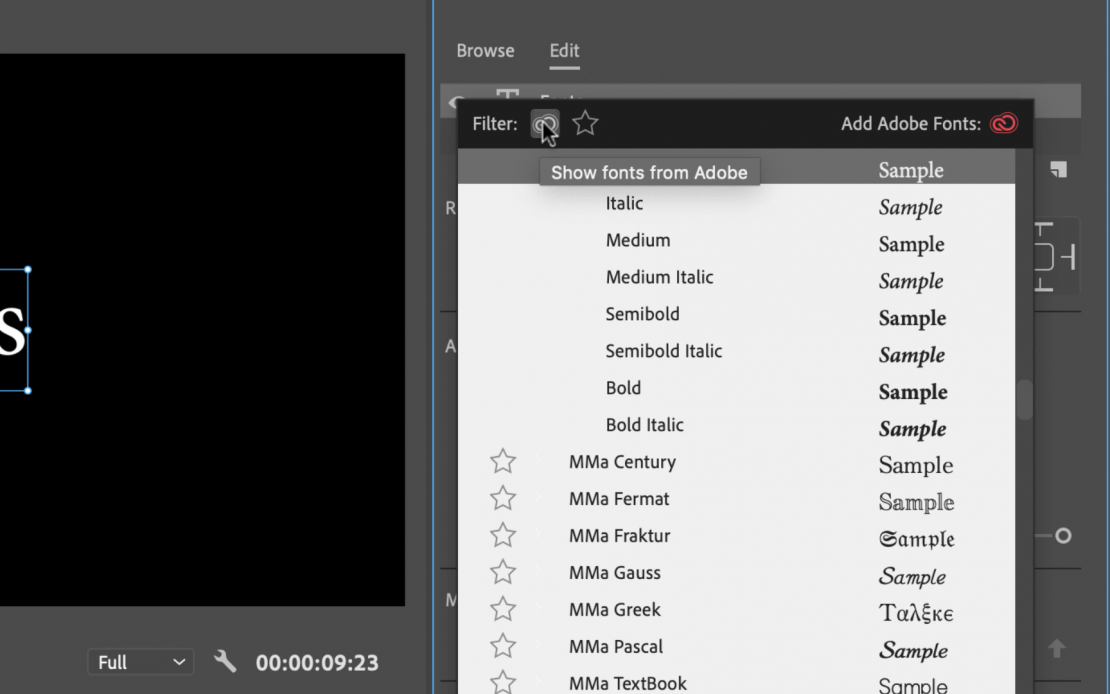
How To Use The New Adobe Fonts In Premiere Pro And After Effects
But this no longer seems valid with cc 2019.

Where are adobe fonts stored on mac. Library → application support → adobe → coresync → plugins → livetype → nothing in livetype. If playback doesn't begin shortly. Go to finder → applications → font book or use spotlight to find and run font book
First, go font libraries through finder. So, start installing your custom fonts following the process. Fonts stored in a user's ~/library/fonts folder are available to only that user.
It contains.dfont fonts that mac os x requires for system use and display. Mac os x stores fonts in both the font folder in the libraryfolder at the top hard disc level and also in a individual user'saccount library font folder. In any event, here are the font locations in mac os x:
The fonts are located on your machine in the following folders: How to add new fonts using adobe fonts previously known as typekit, adobe fonts is a huge gallery of completely free fonts for all creative cloud users. The font remains installed, but no longer appears in the font menus of your apps.
Adobe employee , sep 23, 2019. Everything you see is cleared for personal and commercial use. Show activity on this post.
You can put the fonts in the path /library/fonts/ or /users//library/ fonts/. In the file name, you can find a number that shows you where the font file you need is in either the e or r folder. I presume you mean the screen font on the mac it was copied to is zero kbytes.
An application’s own fonts folder. C, e, r in c, there's an xml file called 'entitlements' that lists all the fonts you have. Adobe fonts partners with the world’s leading type foundries to bring thousands of beautiful fonts to designers every day.
Where are adobe fonts stored mac written by beard thoulieve saturday, 13 november 2021 add comment edit the app store on your mac is. This particular help document shares the locations where adobe fonts are installed: Adobe applications generally look in these folders first.
No need to worry about licensing, and you can use fonts from adobe fonts on the web or in desktop applications. When you find that location, drag the font file there to add. Indesign installs fonts to the locations listed below.
Easily activate as many fonts as you need from over 20,000 options. If you had copied the font to a fat32/dos formatted flash or hard drive, this can sometimes happen. Some applications, particularly those from adobe, have their own private font folders.
I only had one font installed so not sure what it looks like with a ton, but i had 3 folders in this directory. Mine are in c:\\program files(x86)\\adobe\\acrobat 10\\resource\\font and in c:\\program files(x86)\\adobe\\acrobat 10\\designer 9\\fonts\\ Where does mac store adobe fonts (typekit)?
Fonts that are disabled show ”off” next to the font name in font book. To disable this highlight, choose file > preferences > composition (windows) or indesign > preferences > composition (mac os x), and then deselect substituted fonts. System/library/fonts (avoid changing this folder.
This happens when the resource fork information is lost since that's where all of the data is stored with type 1 and legacy mac truetype fonts. Previously, up to os x 10.4, both mac os 9 applications running in the legacy classic environment and native applications could access fonts stored in the mac os 9 system folder macos includes a software rasterizer that supports postscript. Mac operating systems also support many types of fonts, but if you want to avoid problems, it is best to choose to download tff and otf fonts.
*library is the hidden folder and macos will hide it. You can disable any font that isn't required by your mac. Fonts are included with your creative cloud subscription.
These are located either inside the application’s folder, or in the application support folder in the common library folder. Make sure you first extract these files if you have received them in a.zip file. So, i know as of about a year ago i could find them here —.
Select the font in font book, then choose edit > disable. You may see files that are not font files, such as a folder called mac osx, there are not needed. Adobe incopy and indesign each have a folder called fonts where you can place your font (.otf) files so that they can be used in your documents.
Now you know how to add fonts to photoshop both on windows and macos. If fonts have duplicate names, mac os x uses fonts—without regard to font format—from the following locations in the order listed: About press copyright contact us creators advertise developers terms privacy policy & safety how youtube works test new features.

3 Cara Untuk Menambahkan Fon Baru Ke Indesign - Wikihow

How To Install Adobe Fonts 6 Steps With Pictures - Wikihow
Where Are The Adobe Cc Font Files Locally Stored O - Adobe Support Community - 10623386


How To Install Adobe Fonts 6 Steps With Pictures - Wikihow
Where Are The Adobe Cc Font Files Locally Stored O - Adobe Support Community - 10623386

How To Import Fonts In Adobe Premiere Pro Adobe

How To Use The New Adobe Fonts In Premiere Pro And After Effects

How To Export Font Files Of Adobe Fonts On Macos - Dev Community

Activate Fonts On Cc Mobile

How To Activate Free Desktop And Web Fonts From Adobe Fonts

How To Export Font Files Of Adobe Fonts On Macos - Dev Community

Solved Missing Fonts Will Not Activate - Adobe Support Community - 10197579

How To Use The New Adobe Fonts In Premiere Pro And After Effects

Activate Fonts On Cc Mobile

How To Install Adobe Fonts 6 Steps With Pictures - Wikihow

How To Export Font Files Of Adobe Fonts On Macos - Dev Community

Quick Tip Troubleshooting Font Problems In Adobe Indesign
How To Find Adobe Fonts On The Mac - Youtube

How To Activate Free Desktop And Web Fonts From Adobe Fonts


Komentar
Posting Komentar